
| PC Classes : Free Programs 1-RocketDock |
RocketDock Configuration - Icons Tab
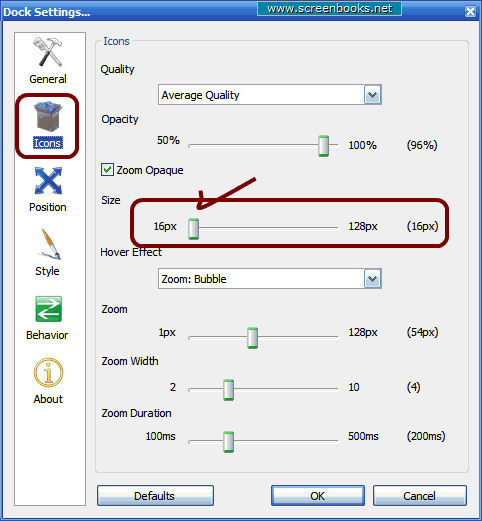
Click the Icons tab on the left side. Here you control the appearance of the icons in the RocketDock launch bar. Particularly, when you are done with the setup of RocketDock, you will want to slide the "Size" slider bar to the left side (16px) or close to it. This will size the launch bar fairly small, but notice the icons get larger when you hover over them.
|
| 1 2 3 4 5 6 7 8 9 10 11 12 13 14 15 16 |
12 of 16