RocketDock Configuration - General Tab
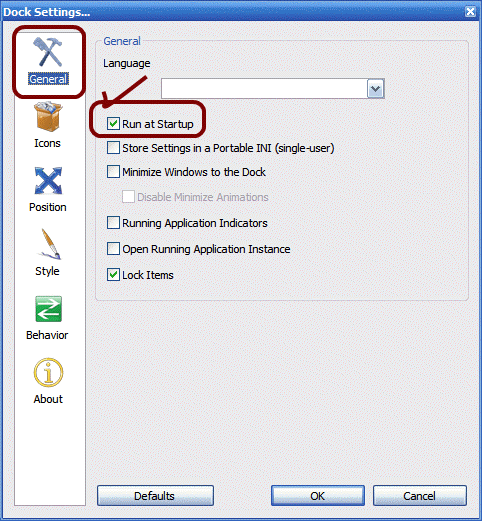
The first step in configuring RocketDock is to click on the "Dock Settings" icon, which is the "Yellow Wrench/Hammer" icon. This is a most important icon, and one which must not be deleted. When you click on it, the "Dock Settings" dialog box appears, as shown below. Note that we are on the General tab. The tabs are listed down the left side of the page. Be sure to put a checkmark in "Run at Startup", which will cause RocketDock to automatically start when you login to your computer. Don't check "Lock Items" yet, that is the last step :)