search
style
bookshelf
titles
PC Classes : Paint NET
09-Fix Redeye
Screenbook Thumbnail View: Click on the title to go to page view.
1
Fixing Redeye - Introduction
2
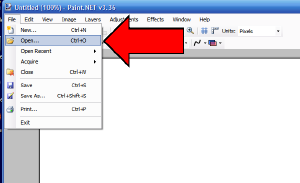
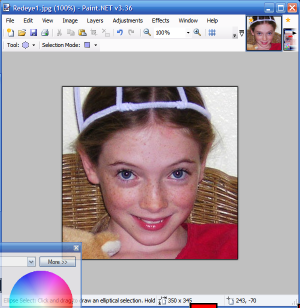
Opening a Photo
3
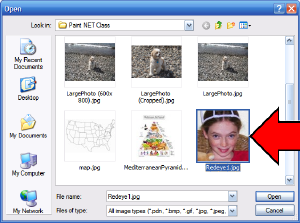
Select and Open Redeye1.jpg
4
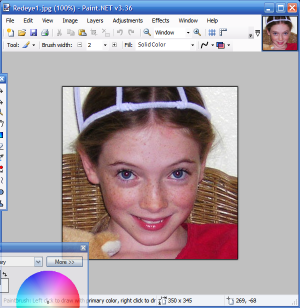
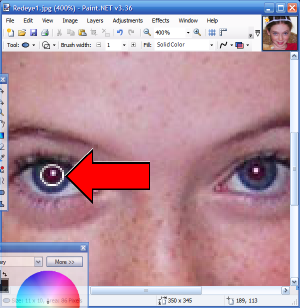
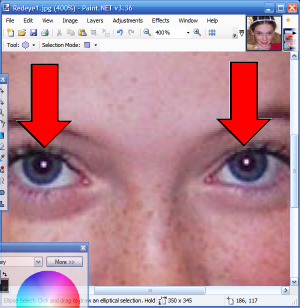
Picture with Redeye
5
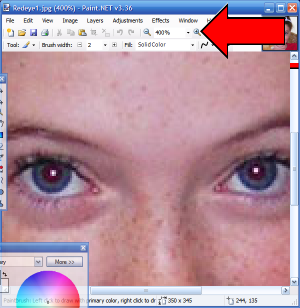
Zoom In
6
Choose "Oval Select"
7
Select One Pupil
8
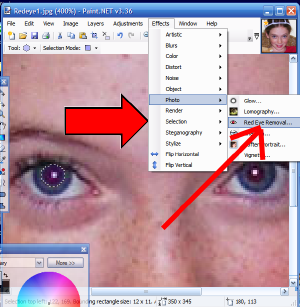
Select "Redeye Removal"
9
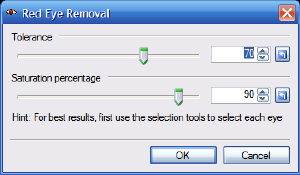
Red Eye Removal Dialog Box
10
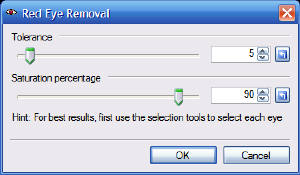
Red Eye Removal Dialog Box (Continued)
11
Done - Red Eye Removed From Left Eye
12
Finished Red Eye Removal
Created with
Screenbook Maker
Additional Trademark and Copyright Information